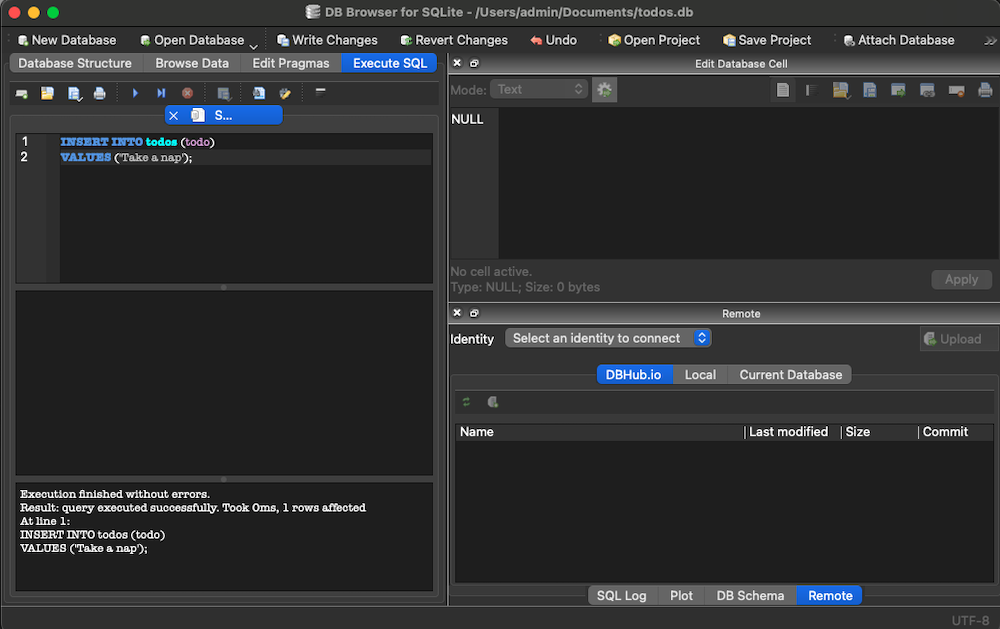
Let's build an actual database using DB Browser for SQLite#=3
For starters, let's download DB Browser for SQLite3: https://sqlitebrowser.org/dl/
→ Once we get the software downloaded, here's what we'll accomplish
→ Create a Todos database, create a todos table, create a primary key ID field, and then create a “todo” text field.
→ When we establish our database table, we will then execute SQL statements to insert 3 to 4 todos in our table.


SQL STATEMENT:
INSERT INTO todos (todo)
VALUES ('Take a nap');